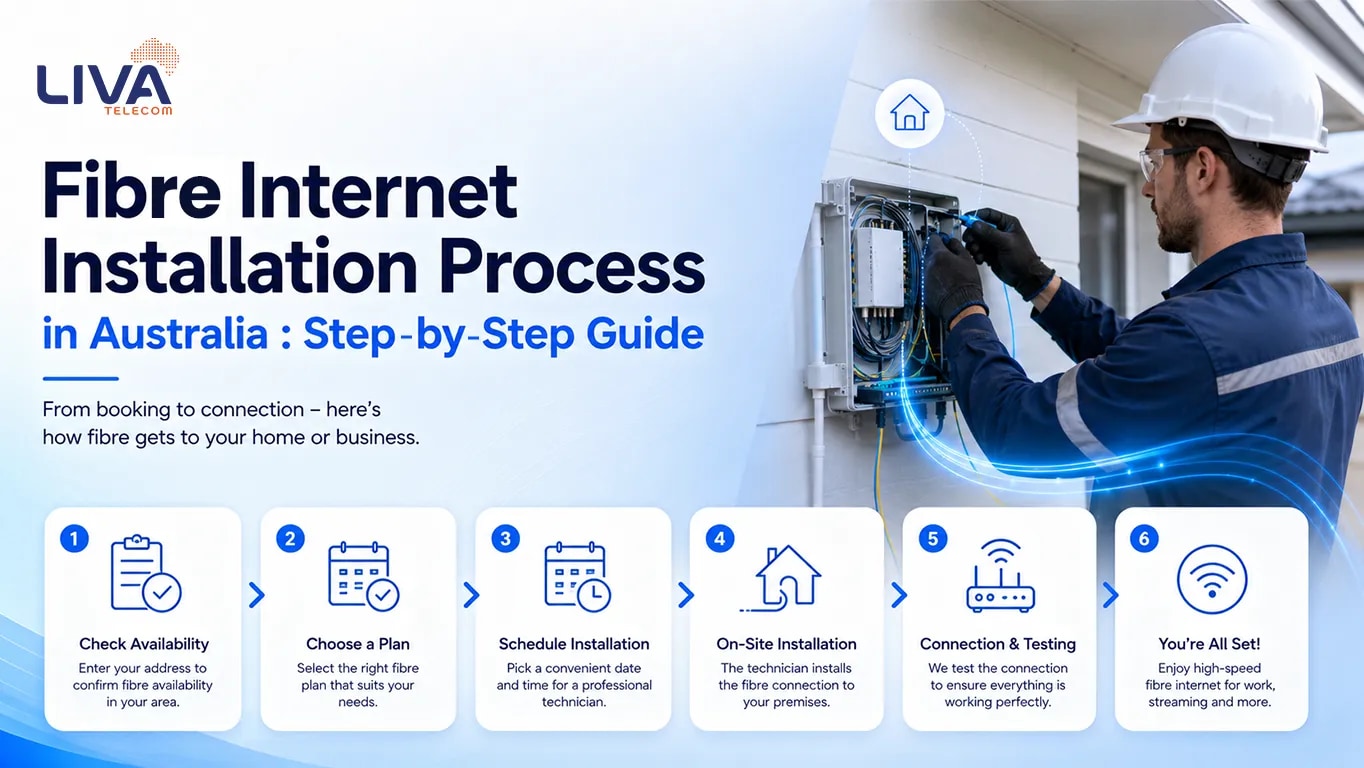
As demand for faster and more reliable internet continues to grow across Australia, fibre upgrades are becoming increasingly relevant for both households and businesses. Many premises currently connected via older technologies such as FTTN (Fibre to the Node) or FTTC (Fibre to the Curb) are progressively becoming eligible to upgrade to full fibre (FTTP).
Broadband services in Australia are delivered over infrastructure operated by NBN® Co. Fibre upgrades are part of an ongoing program to improve network performance and reliability.
This fibre connection setup guide provides an overview of the NBN® fibre upgrade process, including eligibility, installation steps, timeframes, and key considerations.
What is an NBN® Fibre Upgrade?
An NBN® fibre upgrade involves transitioning from a partly copper-based connection to a full fibre connection.
Upgrade Path
- From:
- FTTN (Fibre to the Node)
- FTTC (Fibre to the Curb)
- To:
- FTTP (Fibre to the Premises)
Fibre-optic technology transmits data using light signals, offering improved consistency, reduced interference, and higher potential speeds compared to copper-based connections.
Eligibility for Fibre Upgrade
Eligibility is determined by rollout progress and infrastructure readiness.
Typically, Eligible
- Premises currently connected via FTTN or FTTC (in enabled areas)
Generally, Not Eligible
- FTTB (multi-dwelling units, unless upgraded separately)
- HFC connections (already capable of higher speeds)
Availability must be confirmed for each service address.
Cost and Conditions
In many cases, standard installation is provided at no upfront cost, provided that:
- A qualifying high-speed plan is selected (commonly 100 Mbps or higher)
- The premises is located within an upgrade-enabled area
While installation may be subsidised under the upgrade program, ongoing service charges apply based on the selected plan.
Fibre Upgrade Process
Step 1 – Check Availability
Confirm whether your address is eligible through your service provider or NBN® relevant availability tools.
Step 2 – Select an Eligible Plan
Be it choosing the best broadband plan for home or to set up fibre internet, it's very important to choose a qualifying high-speed plan that typically initiates the upgrade request.
Step 3 – Schedule Installation
An appointment is arranged for a technician visit. Access to the premises is required.
Step 4 – Fibre Installation (External and Internal)
A technician from NBN® Co completes both external and internal installation work.
External installation may include the following:
- Running fibre from the street network to the premises
- Installing an external utility box - PCD
Internal installation may include:
- Bringing fibre into the premises
- Installing the NBN® connection box (Optical Network Terminal – ONT)
- Positioning equipment at a suitable indoor location (power required)
Step 5 – Service Activation
The fibre service is activated once installation is complete.
(The previous connection may remain temporarily active until the new service is confirmed operational.)
Step 6 – Router Setup and Testing
A compatible router is connected to the NBN® connection box, followed by Wi-Fi configuration and performance checks.
Installation Timeframes
A common customer query is “How long does fibre internet installation take?”. On installation day, the fibre internet installation process typically takes 2 to 4 hours for completion.
Whereas the overall timeline may range from several days to a few weeks, depending on:
- Appointment availability
- Installation complexity
- Network readiness
Equipment Overview
Installed by NBN®
- External utility box and cabling
- Internal NBN® connection box (ONT)
Provided by Customer or Provider
- Router/modem
- Internal network setup
Benefits of Fibre Upgrade (FTTP)
- Access to higher speed tiers
- Improved connection stability
- Lower latency for real-time applications
- Better support for multiple devices
- Long-term network capability
Common Considerations
Factors that may affect the upgrade process include:
- Appointment scheduling
- Property access requirements
- Internal wiring conditions
- Equipment compatibility
Conclusion
The NBN® fibre upgrade program represents a significant step in improving broadband performance across Australia. Transitioning to FTTP enables access to improved reliability and higher-speed capabilities. Major internet providers in Australia and other service providers have highly emphasised the need for reliable, high-speed connection solutions that can support modern digital lifestyles, seamless connectivity, and the growing demand for smart devices in homes and businesses.
Before proceeding, it is recommended to:
- Confirm eligibility at your address
- Select an appropriate plan
- Prepare for installation access
Disclaimer
Information in this article is general in nature. Internet speeds and performance may vary depending on factors such as location, connection technology, network conditions, and in-home setup.
Fibre upgrade availability depends on NBN® rollout and eligibility at your address. Installation is typically provided at no upfront cost for eligible premises when a qualifying plan is selected, subject to provider terms and conditions.